
Sell more and stop guessing how your business is doing
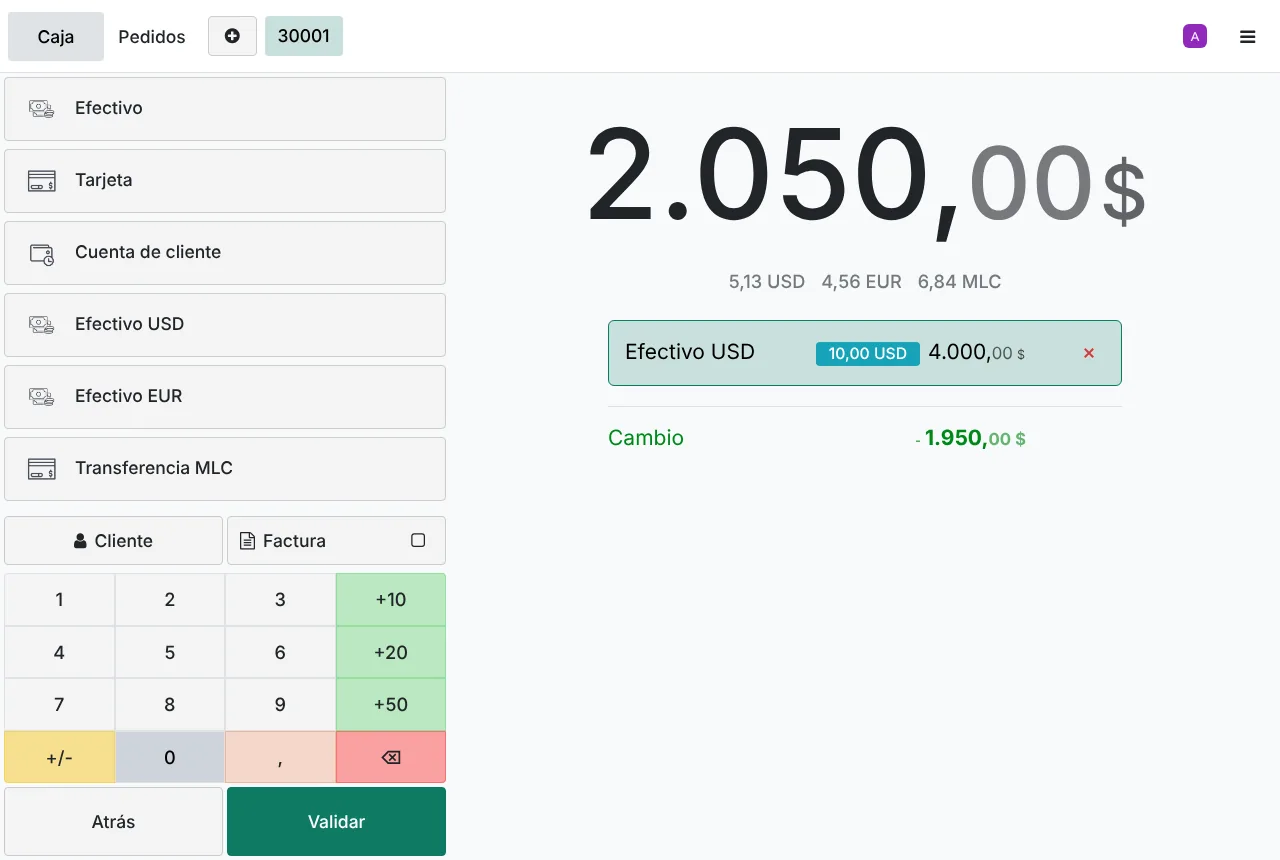
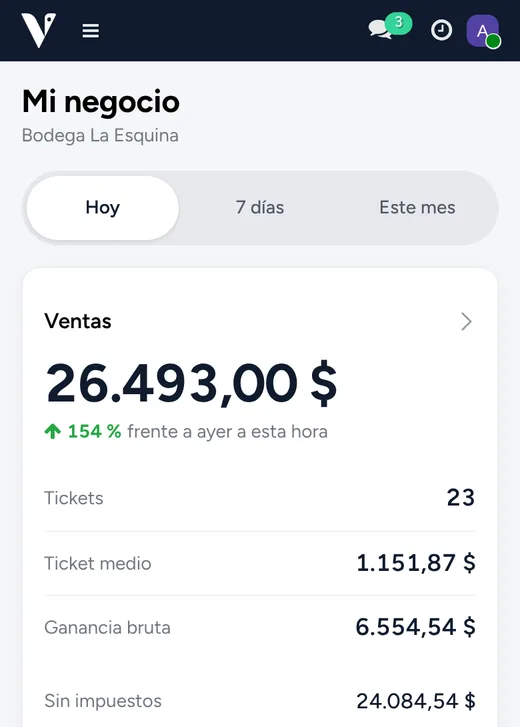
VihaPOS brings your till, stock, kitchen, books and online sales together. Take payments in seconds, in whatever currency the customer brings, and see on your phone what you sold and earned today.
Computer, tablet or phone. Nothing to install, no special hardware.
- Sells without internet
- Several currencies per sale
- 58 and 80 mm receipt printers
- Your business on your phone
Running a business shouldn't be guesswork
When sales go in a notebook, stock lives in a spreadsheet and the till is counted by hand, money slips away without anyone noticing.
Queues at the till
Every slow sale is a customer walking out. Working out prices and change by hand at rush hour costs you sales.
The cash never adds up
At closing there's money missing or extra and nobody knows why. Without a record of every sale, there's no way to tell.
Stock you can't trust
Best sellers run out, slow movers pile up and goods disappear without a trace.
No connection, no sales
The internet or the power drops and the system stops right when the shop is full.
No idea what you earn
You sell every day, but without costs and current numbers you can't tell which products make you money.
Five tools that don't talk
Notebook, calculator, spreadsheet, WhatsApp and an outside accountant. Everything duplicated, nothing connected.
One system that works for you
Everything that happens in your business, in one place
From the till to the kitchen, from the stockroom to the books. Built for real businesses: rush hours, dropped connections, several currencies and customers who buy over WhatsApp.
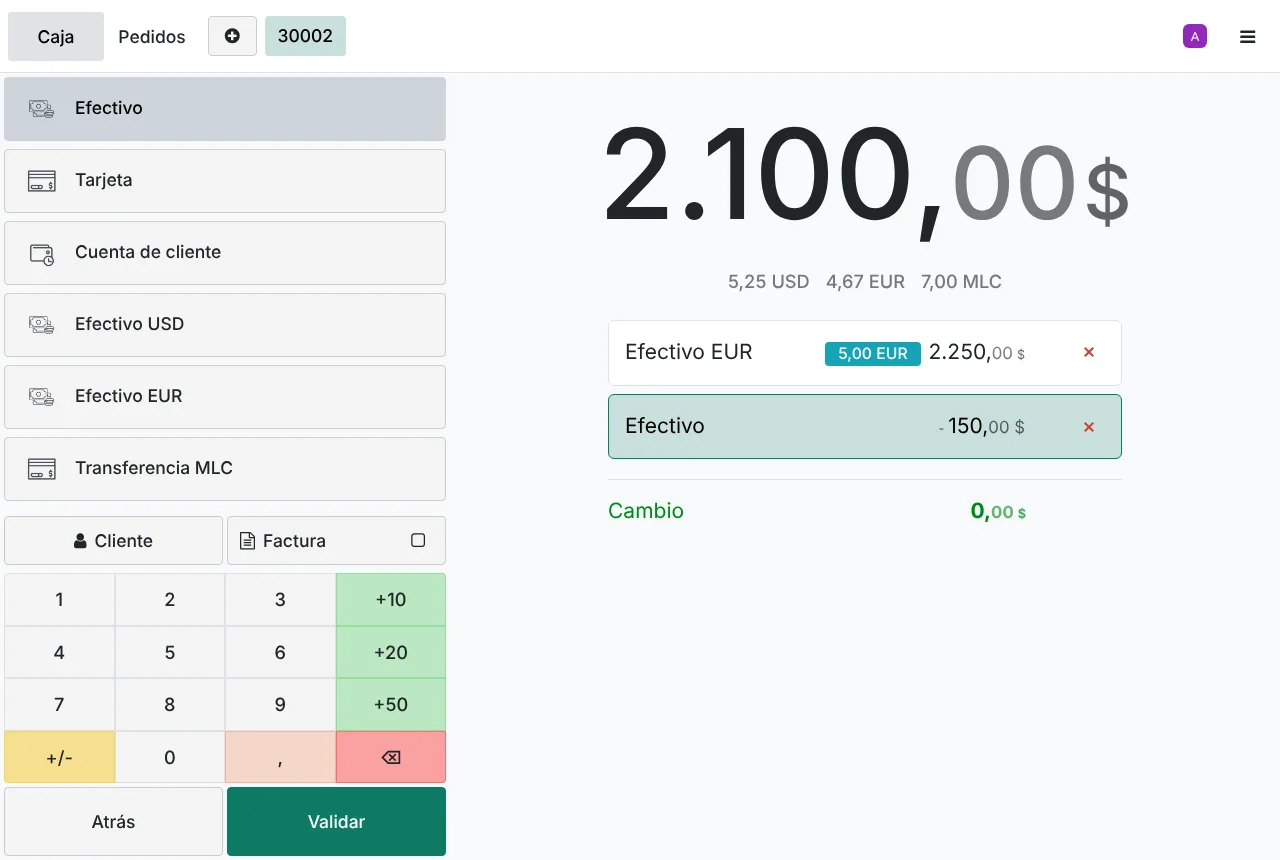
Get paid fast, in whatever currency the customer brings
The till shows the total in each currency at today's rate and works out the change. If the internet or the power drops, it keeps selling and syncs when it's back.
- Mixed payments across currencies
- Exchange rates that update themselves, with your elTOQUE key
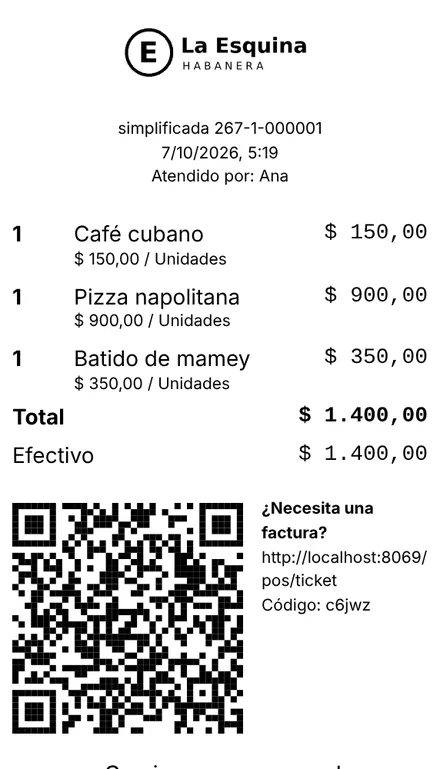
- Receipts on 58 and 80 mm thermal printers, with your logo
- QR code payments
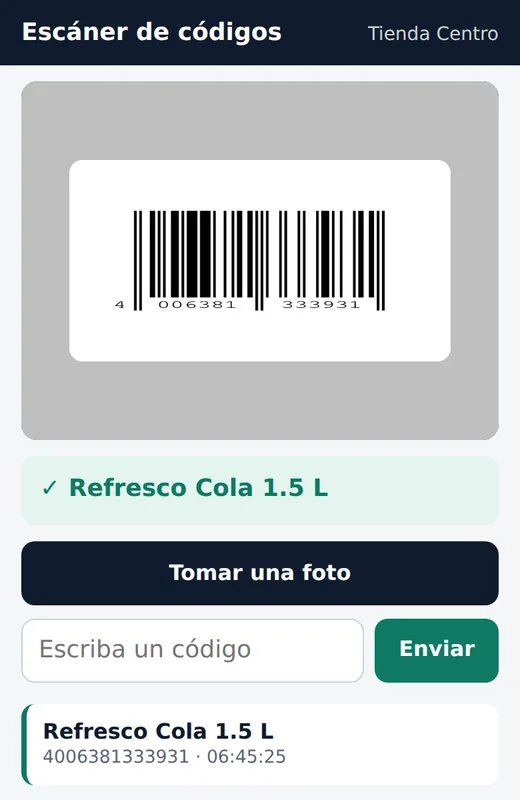
Your phone is the barcode scanner
Scan with the phone's camera and the product shows up on the till next to it. It also works for receiving stock and counting the stockroom, with no extra hardware.
- Receive and count stock by scanning
- Alerts for low stock and products that don't sell
- Stockroom staff never see costs or margins
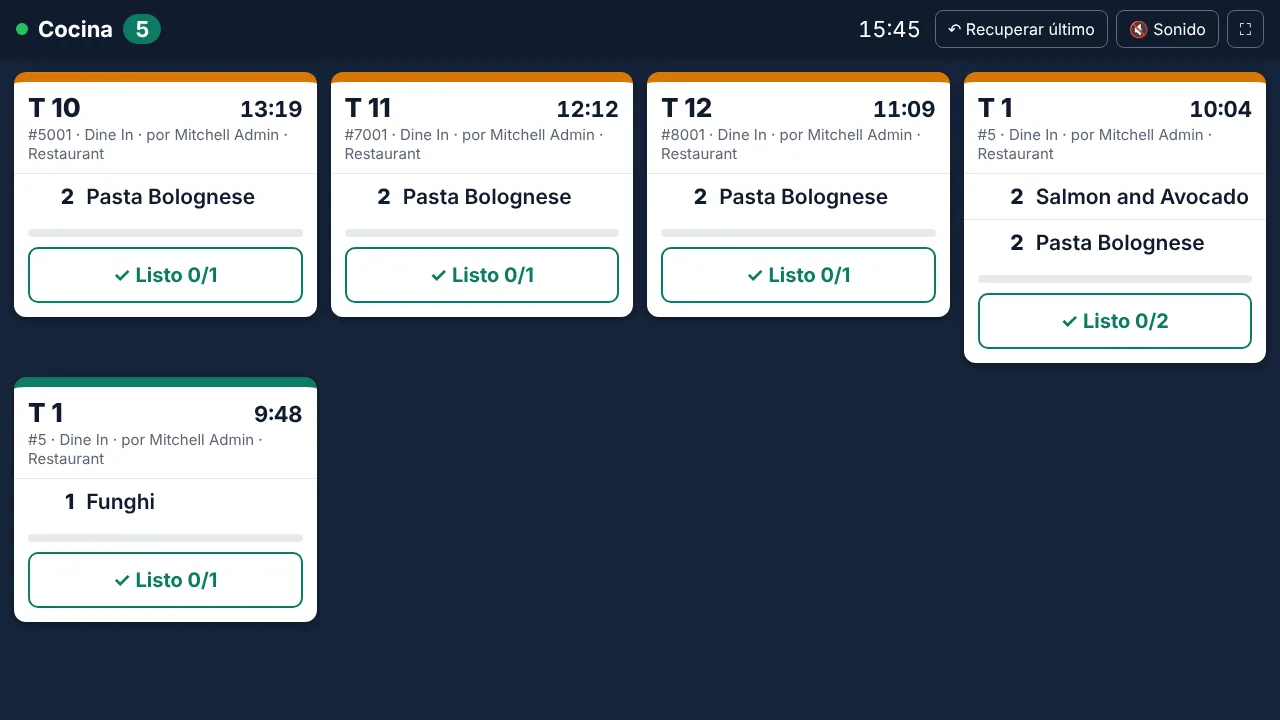
The kitchen gets the order instantly
Each order reaches the kitchen screen or its printer as soon as the waiter sends it. The kitchen marks it when the dish is ready.
- Kitchen screen on any TV, tablet or phone
- Order tickets printed in the kitchen and at the bar
- Keeps printing orders without internet
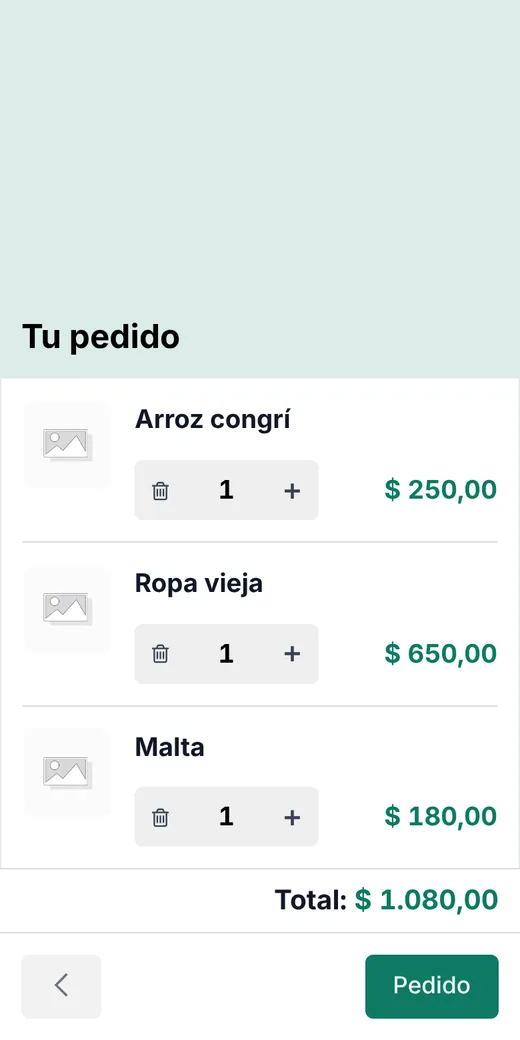
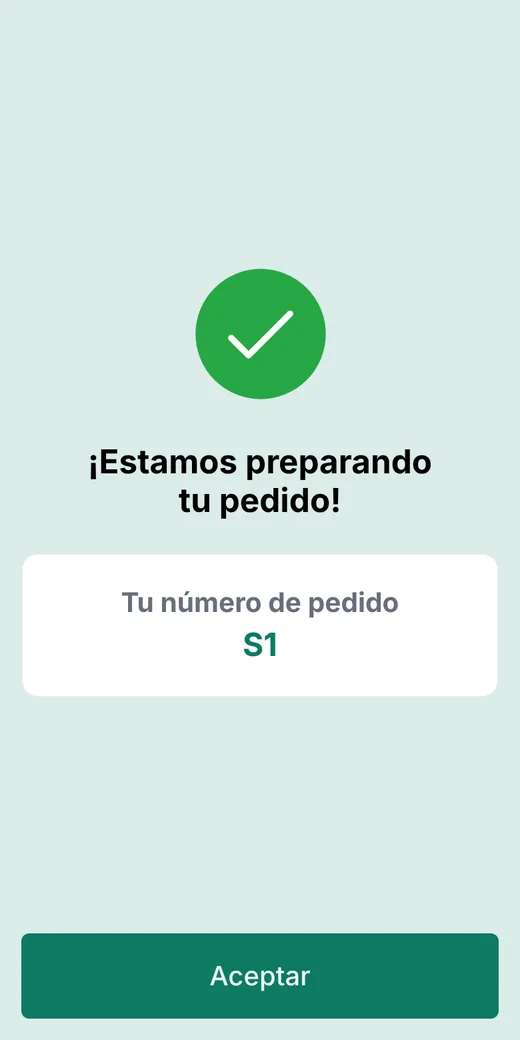
Customers order with the table's QR code
Every table has its own code. Customers scan it with their phone, browse the menu with photos and prices, and the order goes straight to the kitchen screen and onto the table's bill. No waiting for the waiter, no mistakes writing it down.
- Nothing to install: it opens in the phone's browser
- The order lands on the table's bill at the till
- QR codes for every table, ready to print
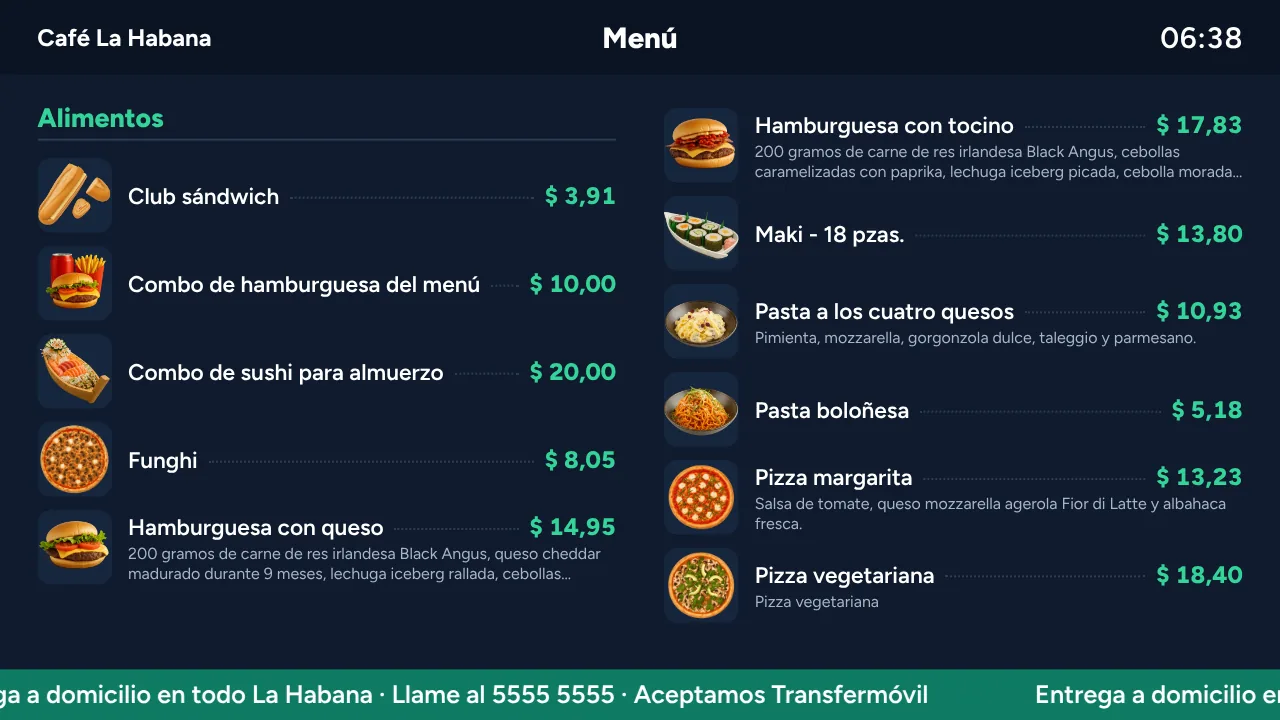
Your menu on the TV, always with the right price
Change a price in the system and the menu on the TV updates by itself. Add promotions and announcements that scroll along the bottom.
- Works with a TV and any browser
- Keeps showing the menu even when the internet drops
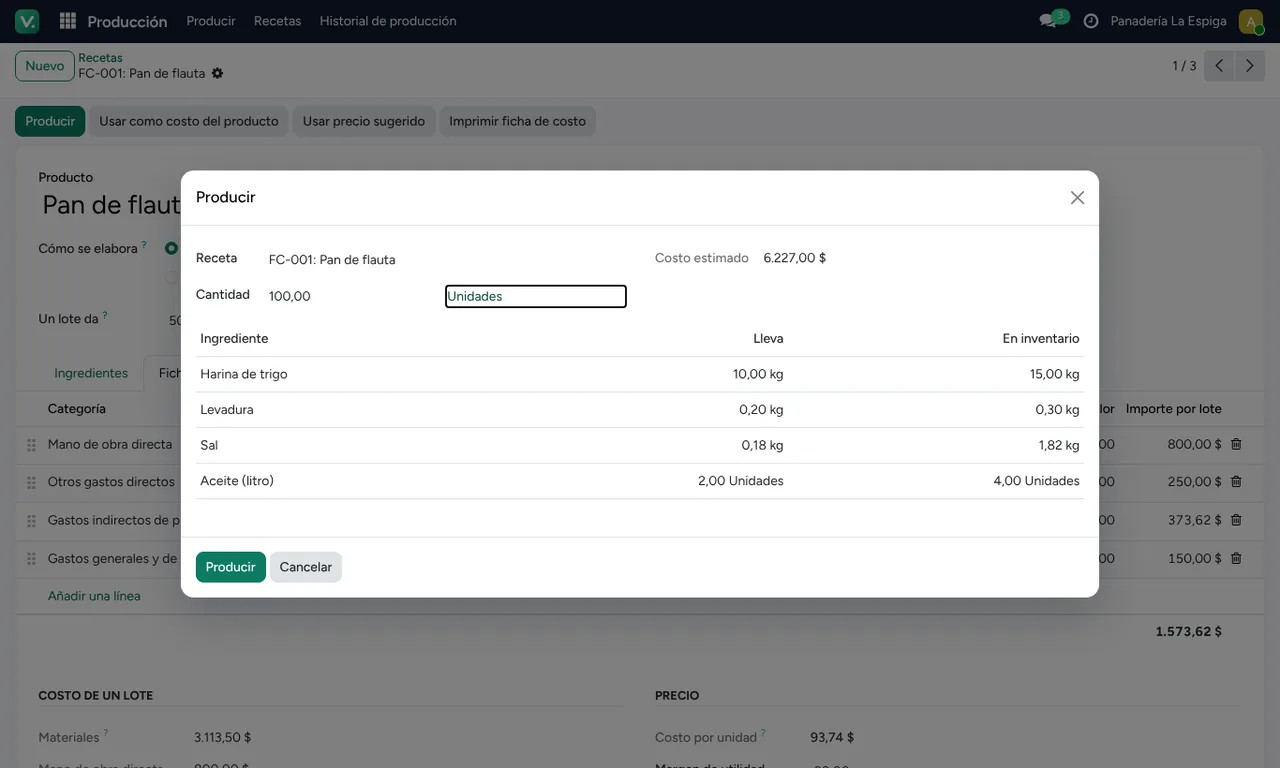
Know what everything you make really costs
Bakeries, pastry shops, cafés and kitchens: each recipe lists its ingredients, and one button produces, takes the ingredients out of stock and adds the finished product. The cost sheet works out the cost per unit and suggests a price.
- Cost sheet with labour and overheads
- Waste per recipe and per production run
- Warns when an ingredient is short before producing
- History of everything produced
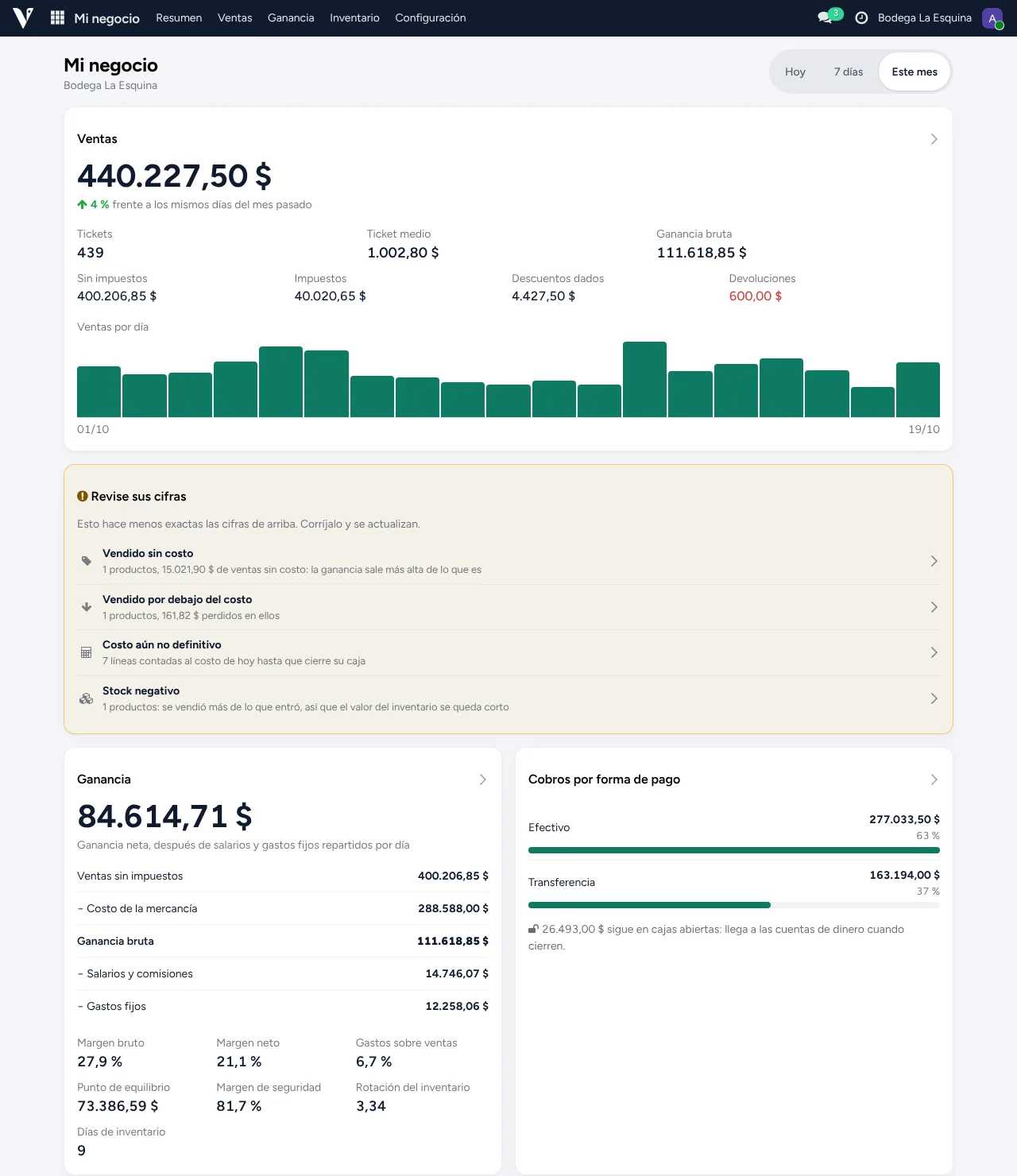
Your numbers, clear and on one screen
See your sales, your net profit, the money in the till and the bank, what you're owed and what you owe. Today, the last 7 days or the month, compared with the period before.
- Profit after cost of goods, wages and fixed costs, with margin and break-even point
- Warns you about what makes your figures inaccurate, such as products sold with no cost or below cost
- Unpaid customer and supplier invoices, with what's overdue
- Best sellers, sales by category and by payment method, and the last 6 months
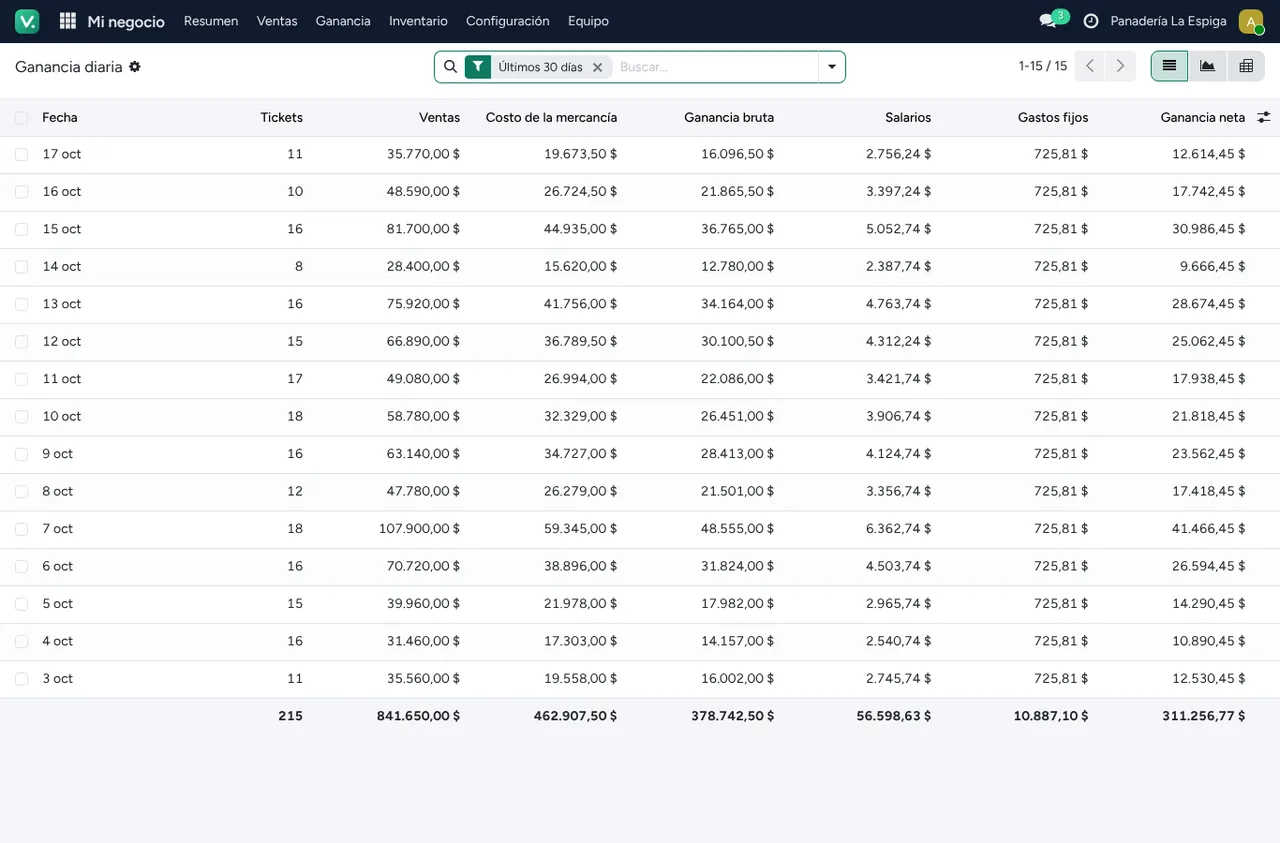
Each day's profit, after wages and expenses
See every day what you sold, what the goods cost you and what you actually kept after wages and fixed costs. And control the cash shift by shift, without relying on trust.
- Net profit per day and per month
- Blind close: the cashier counts without seeing what should be there
- Sold-products report per shift, day and night
- A supervisor records expenses only within the limits you set
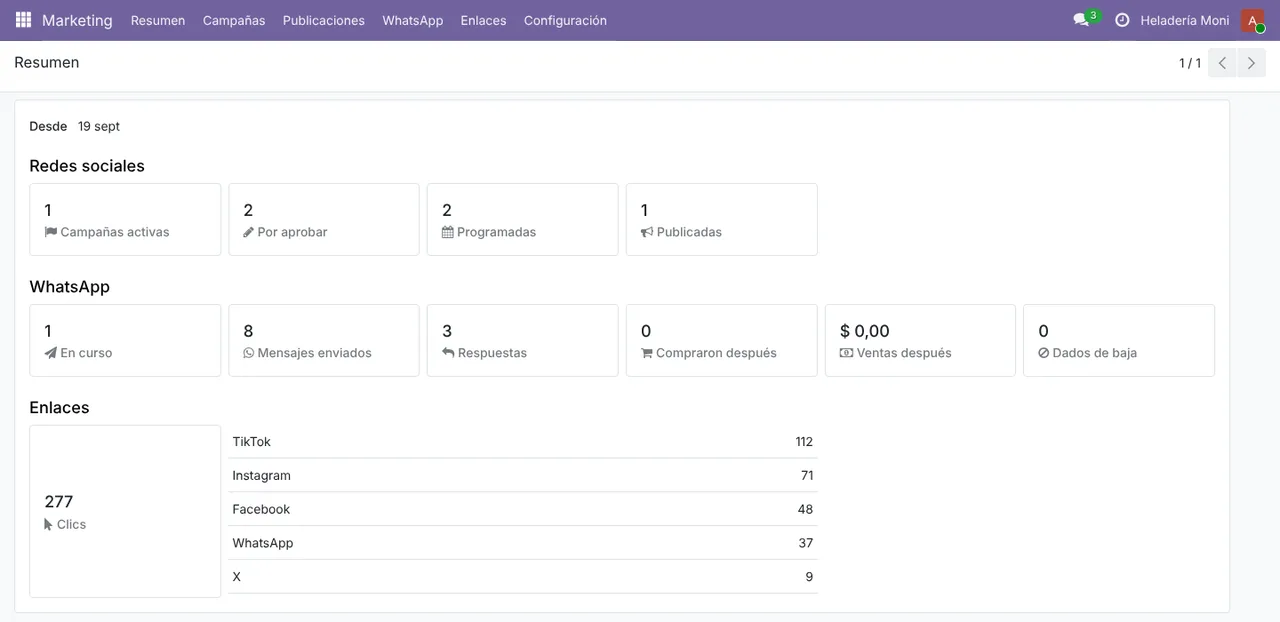
One campaign, every network, and you see what it sold
Prepare a promotion once and post it to Facebook, Instagram, X, Threads, LinkedIn, Pinterest, Bluesky, Google and Telegram (and TikTok, once TikTok approves the app), or send it over WhatsApp to the customers who agreed to your promotions. Then see how many clicked, how many replied and how much they bought.
- Content calendar with scheduled posts
- Automatic WhatsApp campaigns, with a coupon and pauses between messages to protect your number
- Tracked links: the clicks from each network
- A community manager role that only sees Marketing, and one company per client for agencies
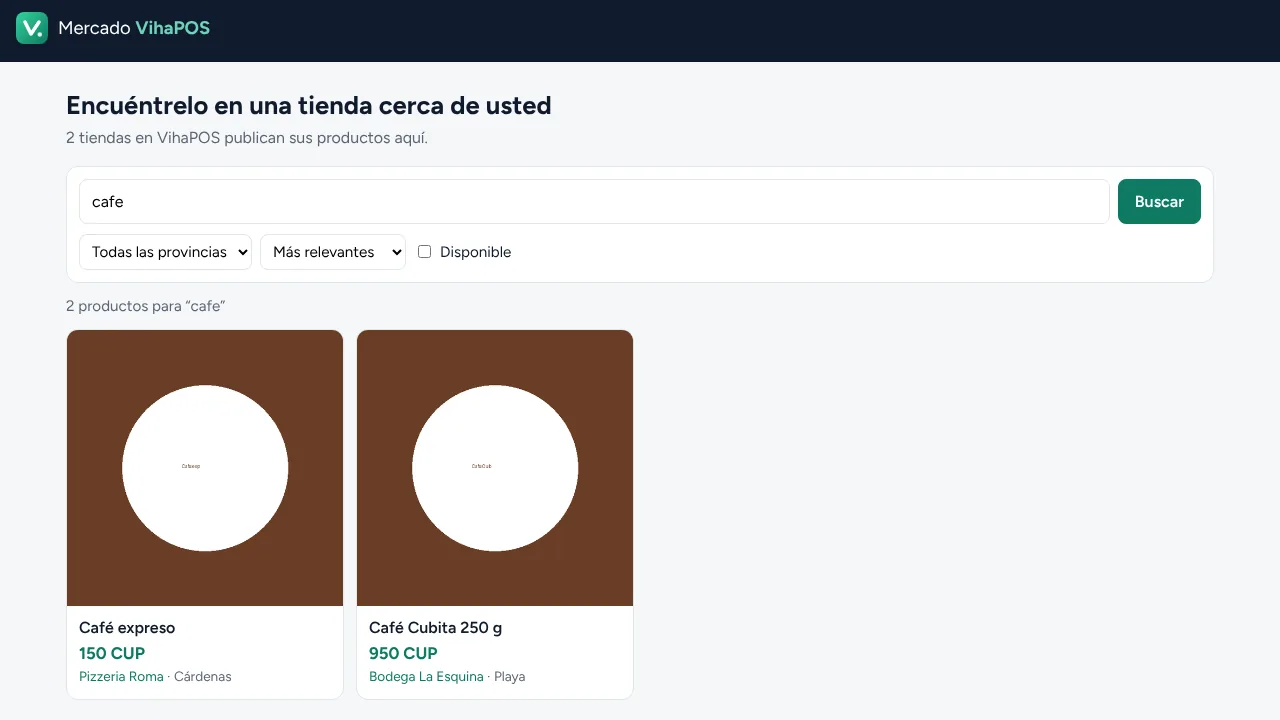
Get found, get messages, get sales
List your products on an online marketplace where customers search by area. AI writes the text of each post using only your products' real details.
- Online shop with delivery areas and their prices
- Post copy written by AI from your catalogue
- You review every post before it goes out
What you need to keep the business in order
Built-in accounting
Every sale, purchase and expense reaches the books on its own, with income statement and balance sheet ready.
End of day
Close every till at once, with a blind count for the cashier, and get your Z report.
My business on your phone
Sales, profit, money and warnings for today, the week or the month, without opening the computer.
Money accounts
Cash, bank and each currency kept apart, with currency exchanges, income and expenses.
Exchange rates
With your elTOQUE key, today's rate updates itself and your foreign-currency prices stay current.
Payroll
Salaries, commissions and taxes worked out, with the journal entry.
Permissions by role
Cashier, stockroom, community manager or owner: everyone sees only what they need.
Receipts your way
Your logo, your details, messages and return policy on every receipt.
QR payments
Customers pay with their phone by scanning a code at the till.
Labels and barcodes
Generate codes for all your products and print price labels on your thermal printer.
Day and night shifts
Each shift with its own sold-products report, cash and person in charge.
20 business types
Bakery, bar, hardware store, beauty salon, workshop, guesthouse and more: the system arrives set up for yours.
Desktop edition
If you'd rather not depend on the cloud, VihaPOS installs on a Windows computer and works without internet.
AI on your own computer
In the desktop edition, the AI that writes your posts and campaigns can run on your PC, with no accounts and no internet.
WhatsApp from the shop's number
In the desktop edition, your campaigns go out from the shop's phone, linked with a QR code.
Ready for your kind of business from day one
Pick from 20 business types and we hand you the system set up for the way you work.
Work out what it costs
Choose where you want to use VihaPOS and what your business needs. The price updates as you go.
Try it free on your computer
Download the desktop edition with the basics (till and inventory) and try it with your own products, offline and with no licence.
Windows 10 or 11, 64-bit. Without a licence it allows 2 users, 50 products and 1 till. When you buy, we send you the licence and you keep your data.Start selling in a few steps
- Message usTell us about your business: what you sell, how many tills you have and what you need.
- We set up your systemYour business gets its own address, like
yourbusiness.vihapos.com, and its data is kept apart from every other business. - SellSign in from a computer, tablet or phone, connect your printer and start taking payments.
What people ask us most
What happens when the internet or the power goes out?
The till keeps selling and printing receipts, and keeps the sales on the device. When the connection is back, they are sent to the system on their own. While sales are waiting to be sent, don't clear the browser's data.
Do I need to buy special hardware?
No. It runs on the computer, tablet or phone you already have. It prints on any thermal receipt printer (58 or 80 mm) and the phone's camera works as a barcode scanner.
Can I take several currencies?
Yes. The till shows the total in each currency at today's rate, accepts mixed payments and gives change in your main currency. When you close the till you see the cash in each currency separately.
Can I have it on my own computer, without the cloud?
Yes. Besides the cloud service there's a desktop edition for a Windows computer that works without internet. It can include an AI that runs on that same computer and the WhatsApp connection for your campaigns, which does need internet to send.
Can anyone else see my data?
Only your team and, when you ask for support, VihaPOS staff. Each business has its own database and its own address, and you decide who on your team signs in and what they can see. We never sell your data; if you turn on third-party features, such as cloud AI or WhatsApp, they get only what they need. More in the privacy policy.
Which countries does it work in?
VihaPOS comes with accounting, payroll, exchange rates and local payments ready for Cuba, and we're adding more countries. Message us and we'll tell you what's ready for yours.
How much does it cost?
In the cloud, the basic plan (till and inventory) is 20 USD a month, and the restaurant one (with tables, kitchen and TV menus) 30 USD a month; on your computer, 50 and 70 USD a year. Anything more you need is added on top: work out your price in the Pricing section and message us for your proposal.
Stop losing sales. Start today.
Message us and we'll show you how it works with your own products.